Freight Quote

SearchFit provides many third party integrations that can help you expand your business and reach. SearchFit offers an excellent shipping…
More InfoTaxJar

Spend Time on Your Business. Not Sales Tax. TaxJar is the leading technology solution for busy eCommerce sellers to manage…
More InfoMulti-Store Ecommerce Platform

Always innovating the way you sell.
With SearchFit’s innovative software, you are able to publish multiple websites from a single admin panel, personalize many aspects of…
More InfoBusiness to Business (B2B)
SearchFit offers features that can help you build your ecommerce website specifically geared towards B2B customers. General retail consumer site…
More InfoTiered Member Pricing
SearchFit has integrated member only pricing that can be applied to groups or individuals giving store owners more abilities to…
More InfoSearchFit Mobile

Capture more sales with a mobile site.
More and more shoppers are using mobile devices to search and shop online. Having a fast and clean mobile version of your e-commerce site is now a key element in online retail. By adding SearchFit Mobile to your package, you can easily convert your website into a clean, fully functional mobile e-commerce site.
Automated Product Feeds
Powerful built-in marketing.
Customers do not always remember the name of what they are searching for. Since you can’t be there to help, give them a tool that will jog their memory. Auto completion is a common form of user interface functionality on search forms. Once your customer starts typing in the search field, a drop-down appears showing search suggestions that are based upon what has been typed so far. As the user continues to type, the suggestions are refined. At any time, the user may click on a search suggestion and view the related results.
Order Status Notifications
Automated customer order notifications.
Keep your customers informed about their order with an automated order update email. When an order changes status, an email is sent to the customer based on your settings. You can send different email templates based on status, including one for every stage and even after the order has been delivered if you want to check on your customer.
Customer Loyalty Program
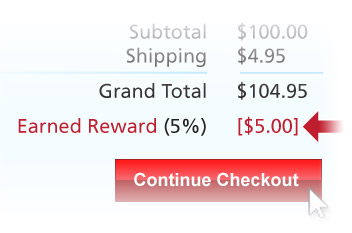
Encourage larger orders, repeat business and member signups.
Easily offer and manage loyalty points for customers who register as members. Build marketing campaigns around loyalty points and build your customer relationships, or offer them as incentives to upsell customers and to encourage repeat purchases.
Checkout Promotions
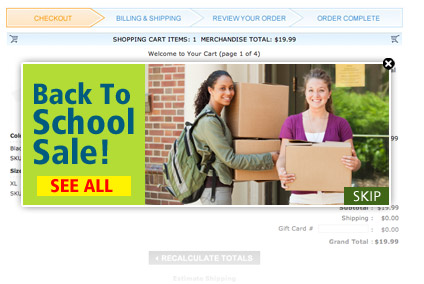
Upsell at checkout.
You can display a product group related to the product being ordered to show your customer additional related items or upsell items. This is a simple way to show related items that the customer may have missed and a great way to increase your average order size.